
Hidusbf || hidusbf download
Hidusbf: A Complete Guide to Hidusbf Download and USB Polling Rate Control
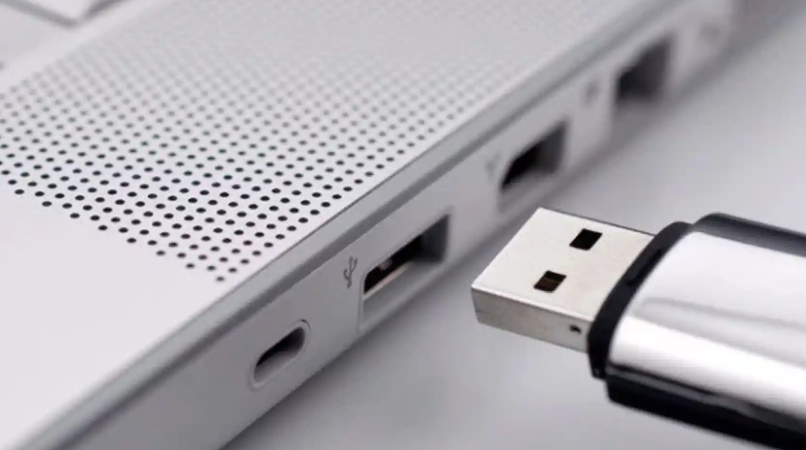
Hidusbf is a popular Windows utility used by gamers, advanced users, and performance-focused PC users who want better control over USB input devices. Many people search for hidusbf or hidusbf download when they want to adjust the polling rate of a mouse, controller, or other supported USB device.
The main purpose of hidusbf is to change how often a USB device sends input data to the computer. A higher polling rate can make movement feel smoother and more responsive, especially in fast-paced games where quick reaction time matters.
What Is Hidusbf?
Hidusbf is a Windows-based tool designed to modify the USB polling rate of supported input devices. The polling rate controls how frequently a device reports its position or button input to the operating system.
For example, a device running at 125 Hz reports input 125 times per second. A device running at 1000 Hz reports input 1000 times per second. This can reduce input delay and make controls feel more responsive.
Why Users Search for Hidusbf Download
Users search for hidusbf download because they want a safe way to access the tool, install it, and configure their USB devices. Since hidusbf works at the driver level, it is important to download it from a trusted source and use it carefully.
Why Hidusbf Is Popular
Hidusbf has gained popularity because many users want lower input latency without buying new hardware. Competitive gamers often look for every possible improvement in response time, and USB polling rate adjustment is one area that can make a noticeable difference.
The tool is also popular because it is lightweight, simple, and focused on one main function: controlling USB polling rate.
Key Features of Hidusbf
USB Polling Rate Adjustment
The main feature of hidusbf is the ability to change the polling rate of supported USB devices. Common options may include 125 Hz, 250 Hz, 500 Hz, and 1000 Hz, depending on the device and system compatibility.
Device-Level Control
Hidusbf allows users to apply settings to selected devices instead of changing every USB device on the system. This helps users adjust only the mouse, controller, or input device they want to modify.
Driver-Based Functionality
Hidusbf works through a Windows driver, which allows it to change how the operating system communicates with USB input devices.
Lightweight Design
The tool does not require heavy software running in the background. Once configured, it focuses on applying polling rate changes through the driver.
Benefits of Using Hidusbf
Lower Input Delay
A higher polling rate may reduce the time between a physical action and the response shown on the screen.
Smoother Mouse Movement
For gaming mice, increasing the polling rate can make cursor movement feel smoother and more accurate.
Better Controller Responsiveness
Some users apply hidusbf to game controllers to improve response time during competitive gameplay.
More Control Over Devices
Hidusbf gives advanced users more control over how their USB devices perform on Windows.
How Hidusbf Improves User Experience
Hidusbf can improve the user experience by making supported devices feel faster and more responsive. For gamers, this may help with aiming, movement, timing, and reaction-based actions. For general users, the difference may be less noticeable, but smoother input can still feel better during daily use.
However, results depend on the device, system configuration, USB port, and hardware limitations.
Is Hidusbf Safe to Use?
Hidusbf can be useful, but it should be used carefully because it changes driver-level settings. Users should avoid downloading hidusbf from unknown websites and should always create a system restore point before making changes.
Incorrect installation or unsupported settings may cause USB devices to behave incorrectly. For this reason, hidusbf is better suited for users who understand basic Windows driver settings.
Hidusbf Download Tips
When searching for hidusbf download, users should follow a few safety steps.
Use a Trusted Source
Download hidusbf only from a reliable source. Avoid random download pages that may include modified files or unwanted software.
Check System Compatibility
Make sure your Windows version and device type are supported before applying changes.
Start with Common Polling Rates
Instead of choosing the highest value immediately, begin with common settings like 500 Hz or 1000 Hz.
Test Device Stability
After applying changes, test the device carefully to make sure it works correctly.
Hidusbf vs Standard USB Settings
Standard Windows USB settings usually keep devices at their default polling rate. Hidusbf gives users more control by allowing them to adjust supported devices manually.
For casual users, default settings are often enough. For competitive gamers or advanced users, hidusbf may provide extra control and possible performance benefits.
Common Uses of Hidusbf
Gaming Mice
Many users apply hidusbf to gaming mice to improve movement smoothness and responsiveness.
Game Controllers
Some players use hidusbf with controllers to reduce input delay in competitive games.
Testing USB Performance
Advanced users may use hidusbf to test how different polling rates affect device behavior.
Things to Consider Before Using Hidusbf
Hidusbf is not necessary for every user. Some modern gaming mice and controllers already support high polling rates through official software. In such cases, hidusbf may not be required.
Users should also remember that increasing polling rate can slightly increase CPU usage, although this is usually minor on modern systems.
Future of Hidusbf
As gaming hardware continues to improve, tools like hidusbf remain useful for users who want deeper control over input performance. While many new devices now include built-in polling rate options, hidusbf is still relevant for older devices, controllers, and users who prefer manual configuration.
FAQs About Hidusbf
What is hidusbf used for?
Hidusbf is used to change the USB polling rate of supported input devices on Windows.
Is hidusbf download free?
Yes, hidusbf is generally available as a free tool, but users should download it only from trusted sources.
Can hidusbf reduce input lag?
Yes, increasing the polling rate may reduce input delay, depending on the device and system.
Does hidusbf work with all devices?
No, compatibility depends on the device, USB connection, Windows version, and driver support.
Is hidusbf only for gaming?
No, but it is most commonly used by gamers who want better input responsiveness.
Can hidusbf cause problems?
Yes, incorrect use may cause USB device issues, so users should apply settings carefully and keep a recovery option available.
Conclusion
Hidusbf is a useful Windows tool for users who want to adjust USB polling rates and improve input responsiveness. Whether someone searches for hidusbf or hidusbf download, the goal is usually to gain better control over a mouse, controller, or other USB input device.
When used correctly, hidusbf can improve smoothness, reduce input delay, and enhance the overall gaming experience. However, because it works at the driver level, users should download it safely, apply settings carefully, and test their devices after making changes.